
Cloudless SoftwareGet out from under the cloud
Mount your network shares on your phone.
Mount shares from your PC or NAS on Android. MtAnything integrates with Android's built-in document provider, so your shares show up in the Files app and every app's Open and Save screens, right next to Downloads, and open like local storage. SMB, SFTP and FTPS, plus S3 (including Backblaze B2 and Wasabi) and WebDAV with Pro. Your phone talks straight to your server, with no cloud relay in the middle.
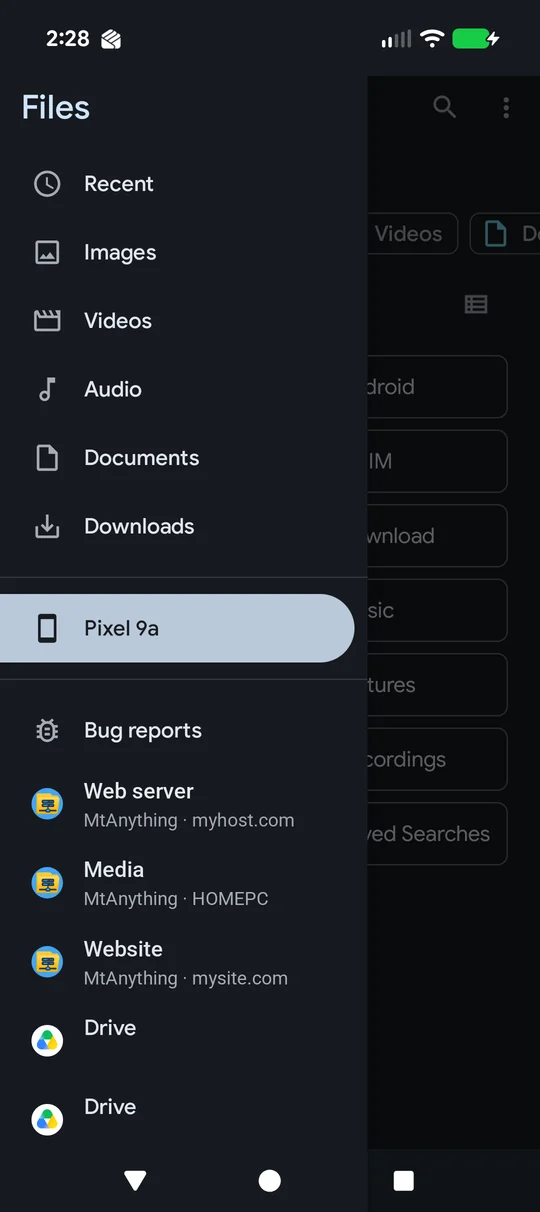
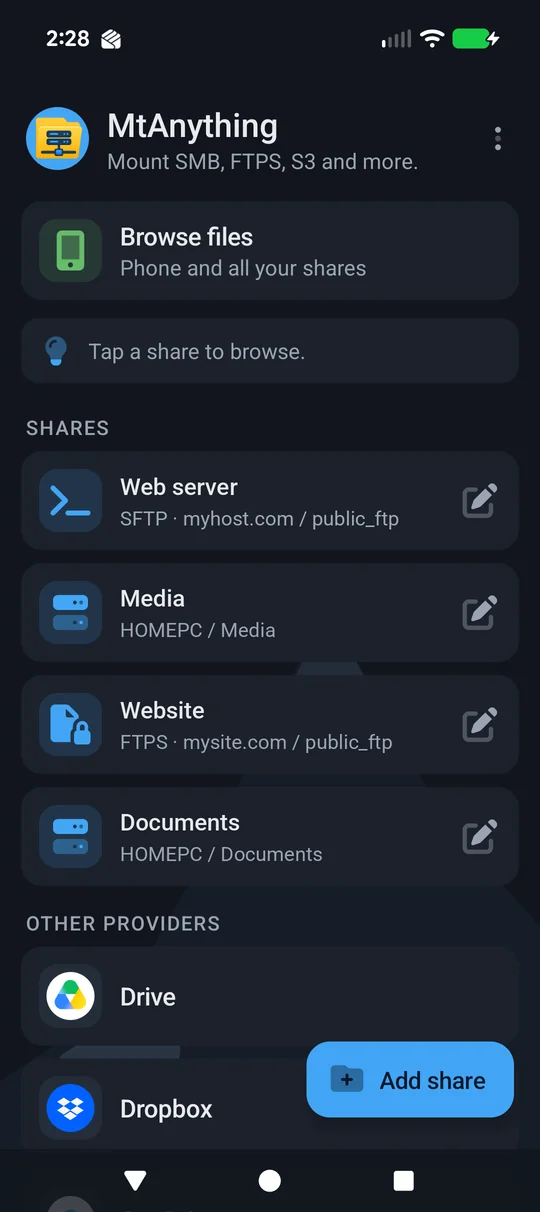
MtAnything plugs into Android's document provider system (the Storage Access Framework), so mounted shares appear wherever Android shows your storage.
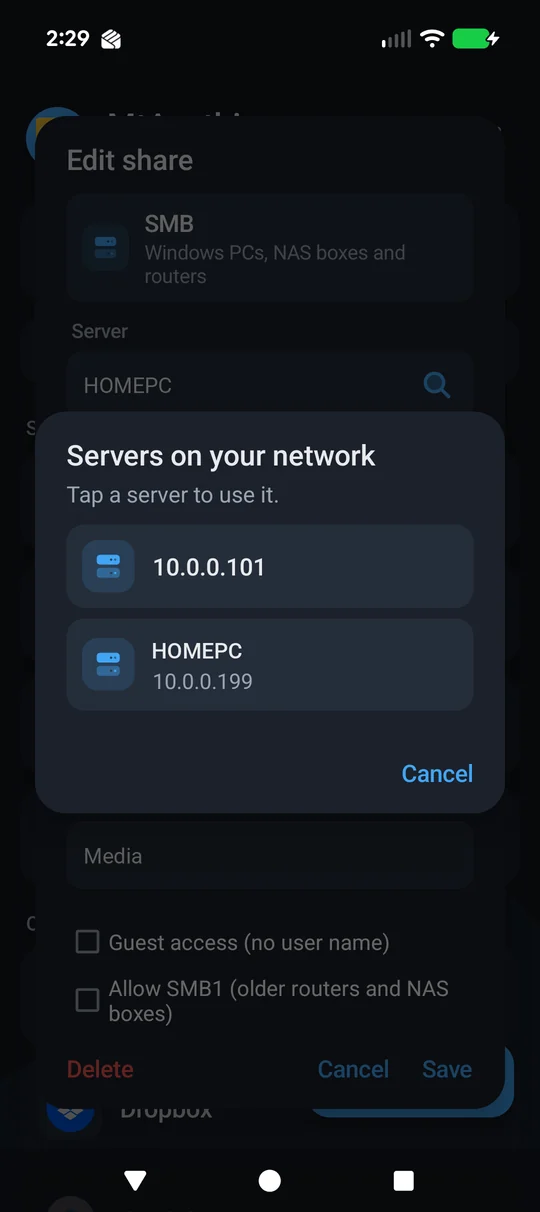
Tap Add share. MtAnything scans your subnet for SMB servers on port 445 and resolves their names with NetBIOS (RFC 1002) and reverse DNS, something Android can't do on its own. Or just type a name or IP address.
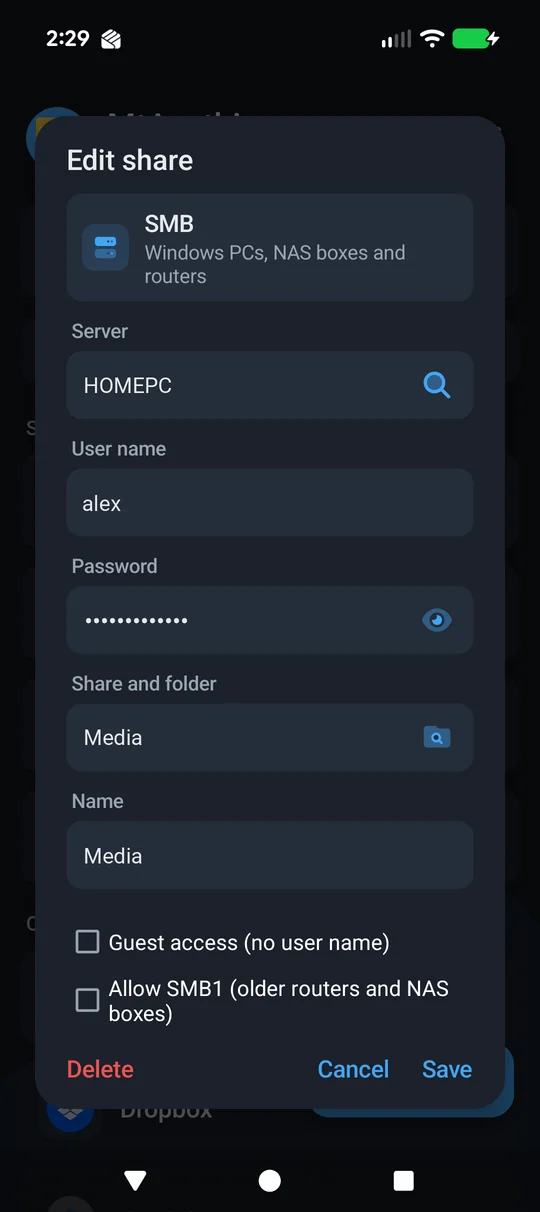
Use your user name and password, a DOMAIN\user domain account, or guest access. SMB1 can be switched on for older routers and NAS boxes. Your password is encrypted with an AES key held in the Android Keystore.
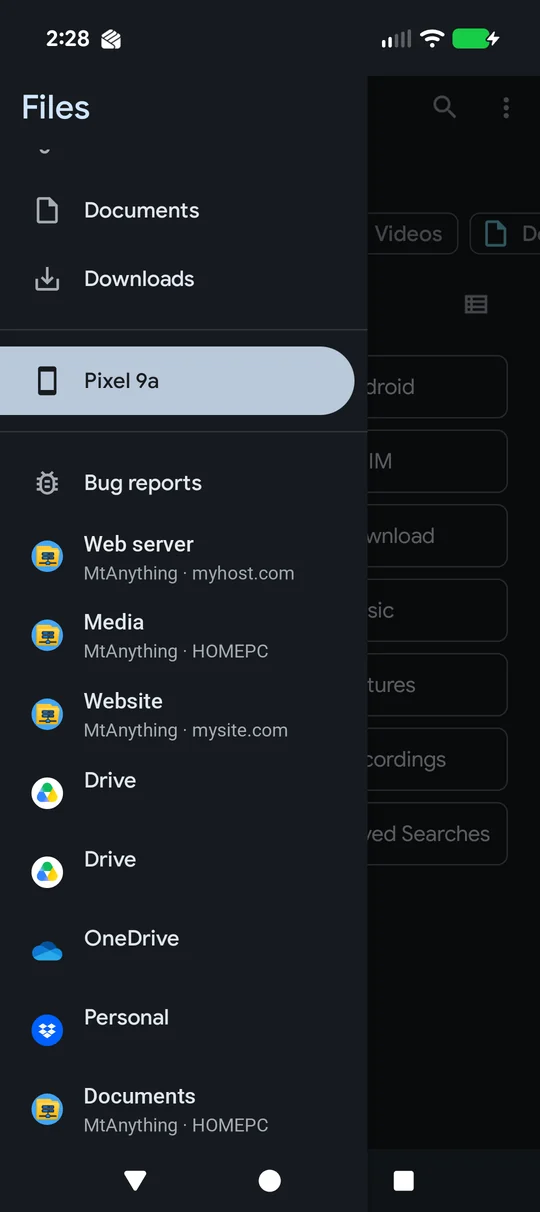
Tap a share to browse it, or pick it from the side menu when you open or save a file. If the server drops off Wi-Fi mid-save, your edit is kept on the phone and uploads when the share is back.
Every protocol plugs into the same provider, so each new one shows up in the same Files app and Open/Save screens with no change in how you use it.
AWS S3, Backblaze B2, Wasabi, Cloudflare R2, DigitalOcean Spaces, Linode/Akamai, iDrive e2, Storj, Google Cloud Storage (interop mode)
MinIO, Ceph, Garage, TrueNAS, and the Synology and QNAP S3 apps
Add your first share in under a minute.
Coming soon to Google Play